Google Is Broken. Here Is the Free Tool Everyone Is Using to Replace It : Perplexity AI
Tags: ai answer engine, conversational web search, fluff free search, future of online search, how to search faster, perplexity ai, perplexity ai copilot, perplexity vs google, productivity tools, stop googling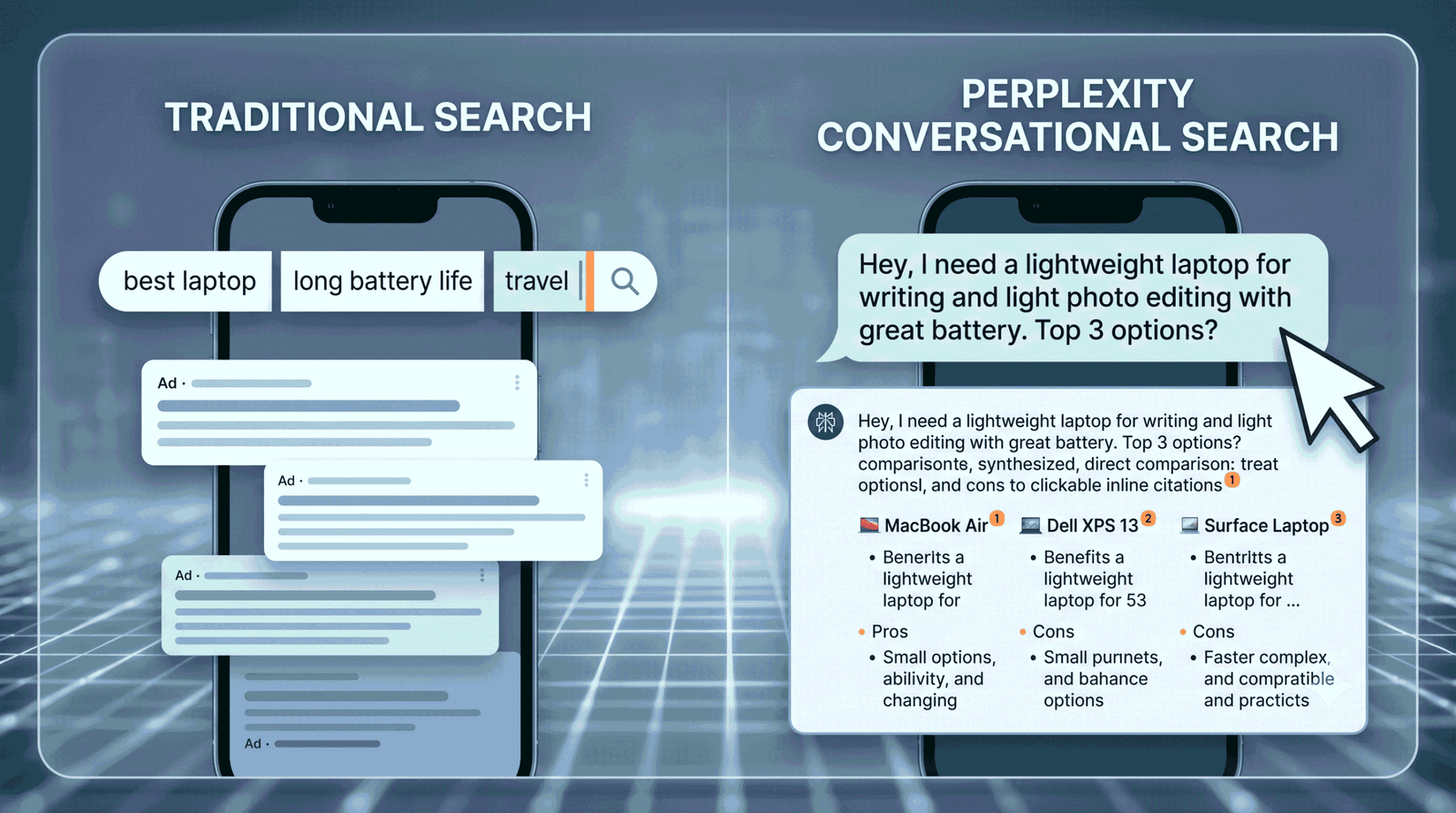
Let’s be honest for a second: when was the last time you actually found what you were looking for on the first page of Google without having to scroll past three sponsored ads, two SEO-optimized recipe blogs detailing someone’s childhood, and four completely unrelated Reddit threads? “Perplexity AI“
It’s exhausting. We’ve all developed this weird, muscle-memory habit of clicking a link, scanning it for two seconds, realizing it’s pure filler, hitting back, and trying the next one. We aren’t searching the web anymore; we’re filtering garbage.
But there is a massive shift happening right now in how we find information online. If you are still typing fragmented keywords into a traditional search engine, you are burning precious time.
Enter the era of conversational web search. Specifically, enter Perplexity AI.
Here is exactly how this tool works, why it is fundamentally changing the internet, and why you might just want to remove Google from your bookmark bar for good.
The Death of Keywords and the Rise of Conversational Web Search with Perplexity AI
For decades, Google trained us to think like computers. You couldn’t just ask a normal question; you had to distill your thought into a clunky string of words: “best light laptop long battery life.”
Then, you had to open five different tabs, cross-reference the specs, read through biased affiliate reviews, and piece the answer together yourself. Google didn’t give you the answer; it gave you a map to go find it.
Perplexity flips that model completely on its head. It treats search like a conversation with an incredibly brilliant, fast-reading assistant. You can learn more about how this shifts our digital routines in our deep dive on lifestyle hacks and tech productivity at Yekha Blog.
Instead of guessing keywords, you just ask a question the way you’d say it to a friend:
“Hey, I need a lightweight laptop for travel with great battery life, but I mostly use it for writing and light photo editing. What are my top three options right now, and what are the pros and cons of each?”
Instead of a list of blue links, Perplexity reads the top web pages across the internet in real-time, extracts the relevant details, filters out the fluff, and writes you a comprehensive, direct summary. For a breakdown of the underlying technology driving these systems, check out our guide to programming and AI development on Yekha Blog.
How Perplexity AI Finds Exactly What You Need (Without the Fluff)
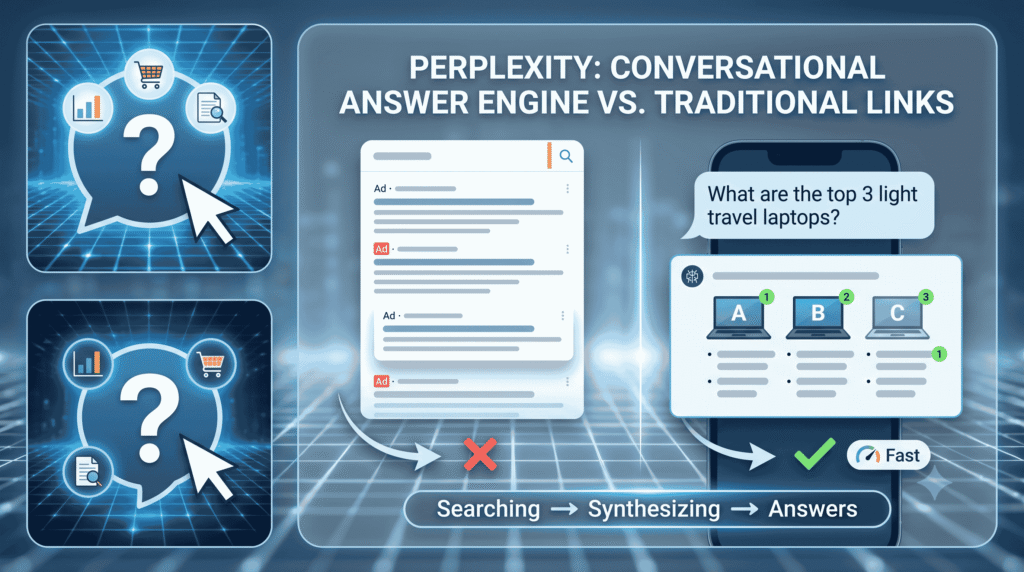
So, how does it actually do this without just making stuff up? Unlike standard chatbots that rely purely on their training data, Perplexity is an answer engine.
1. Real-Time Web Scraping and Synthesis
The moment you hit enter, Perplexity fires off targeted searches across the live web. It instantly scans articles, forums, official documentations, and news outlets. It then synthesizes that massive wall of text into a concise, easy-to-read response.
2. Radical Transparency via Inline Citations
One of the biggest issues with AI tools is “hallucinations”—when an AI confidently states a flat-out lie as fact. Perplexity solves this with absolute transparency. Every single claim, statistic, or recommendation it makes is accompanied by a tiny, clickable inline citation number.
If it says a laptop gets 15 hours of battery life, there’s a footnote right next to it linking directly to the tech review or manufacturer spec sheet where it found that number. You can verify everything instantly. You can test this engine functionality firsthand directly on the official Perplexity AI platform.
3. Copilot Mode for Deep Research
If you ask a vague question, Google guesses. Perplexity asks follow-up questions. When you toggle on its “Copilot” or deep research mode, the engine pauses and asks you for clarification.
- “What is your budget?”
- “Do you prefer Mac or Windows?”
Once you click your preferences, it executes a much deeper, multi-step search to curate an answer tailored specifically to your exact scenario.
Why Traditional Search Engines Are Losing the War
The current state of traditional search is broken, largely due to two things: Ad monetization and SEO gaming.
Because traditional search engines make money when you click on ads, their incentive is to keep you on their platforms or clicking through highly monetized web pages. Content creators quickly learned how to game the system, writing 3,000-word articles designed to please an algorithm rather than help a human reader.
Even standard players are trying to pivot to fight this; for instance, you can see how traditional ecosystems are adapting by reading the official documentation on Google’s AI Overviews feature. However, Perplexity bypasses this legacy framework entirely because it values your time above all else.
| Feature | Traditional Search Engines (Google) | Conversational Answer Engines (Perplexity) |
| Primary Output | A list of ad-heavy links you have to open and filter | A direct, synthesized text answer with inline sources |
| Query Style | Rigid, fragmented keywords | Natural, conversational, multi-part questions |
| Research Speed | Minutes to hours of manual tab-skipping | Seconds to minutes for deep, guided synthesis |
| Intent Integration | Keeps guessing based on single keywords | Asks clarifying questions to narrow down intent |
How to Optimize Your Workflow with Perplexity
If you want to get the most out of this tool, you need to change how you prompt it. Stop using it like a traditional search engine. Here are three ways to unlock its full potential:
- Treat it like a research partner: Don’t just ask for facts. Ask it to compare things, analyze trends, or summarize complex topics. For example: “Summarize the core arguments for and against the new housing bill passed this month.”
- Utilize the Focus feature: You can tell Perplexity where to look. If you only want academic papers, change the focus to “Writing” or “Academic”. If you want public sentiment, focus it on “Discussion” to search Reddit and forums.
- Build on the conversation: Once it gives you an answer, use the follow-up box at the bottom. You don’t have to retype the whole context. Just say, “Great, now give me the cheaper alternatives to those options,” and it remembers exactly what you were just talking about.
The Bottom Line: Time is the New Currency
At the end of the day, the internet is growing too fast for manual search to remain viable. We produce too much data, too many blogs, and too much noise for a human being to efficiently parse through ten blue links every time they have a question.
Stopping the endless Google scroll isn’t just about trying a shiny new AI tool; it’s about reclaiming your time. Conversational web search gives you the actual information you want, drops the fluff, and hands you the receipts so you know it’s real.
If you are looking to streamline other areas of your daily routine beyond just search, browse through the practical guides available at yekha.blog. Give Perplexity a shot the next time you need to research something complex—you might be surprised by how quickly you find exactly what you need.