What is a “Prompt” how to write ai prompts? 3 Simple Tricks to Get Perfect Answers from AI Every Time
Tags: ai beginner tutorial, ai productivity hacks, ai prompting guide, chatgpt prompt tricks, chatgpt tips and tricks, claude ai tips, gemini ai tutorial, how to talk to ai, how to write ai prompts, perfect ai answers, prompt engineering for beginners, prompt engineering guide, prompt formula, what is a prompt, writing better prompts
Ever opened up ChatGPT, Claude, or Gemini, typed in what you thought was a straightforward question how to write ai prompts, and ended up completely disappointed?
Maybe the response felt incredibly generic, read like a dry textbook, or completely missed the point of what you actually needed. You look at the screen, roll your eyes, and think, “Well, I guess AI isn’t as smart as everyone says it is.”
But here is the truth: The AI isn’t broken. You just haven’t learned how to talk to it yet.
Right now, we are going through a massive tech shift. Knowing how to talk to an artificial intelligence program isn’t just a nerdy party trick anymore—it’s a massive shortcut for saving time, skipping boring work, and getting things done faster.
In this absolute beginner’s guide, we are going to skip the confusing tech jargon. You will learn exactly what a prompt is, why your current attempts are probably falling flat, and 3 dead-simple tricks to get helpful, human-sounding answers every single time.
What is a “Prompt” how to write ai prompts?
Let’s strip away the fancy terms and start at square one.
In plain English, a prompt is simply the text, question, or instruction you type into an AI tool to tell it what you want it to do.
Think of an AI prompt like a Google search on steroids.
When you search for something on Google, you type in a couple of keywords (like “best running shoes”), and Google throws a massive list of links at you. Then you have to do all the heavy lifting—clicking through messy websites, reading endless reviews, and piecing the information together yourself.
When you prompt an AI, you aren’t just searching; you are having a conversation. You give it a specific direction, and the AI actively processes its database to write a completely unique, custom response just for you.
If you type a vague prompt, the AI has to guess what you want, giving you a vague, boring answer. If you write a specific prompt, you get exactly what you need in seconds. If you want to dive deeper into how these engines process your words under the hood, check out our deep-dive guide on yeksha.blog/understanding-llms, or learn about setting up your workspace in our yeksha.blog/ai-beginners-setup-guide.
Why Your Current AI Prompts Aren’t Working and how to write ai prompts
Most beginners fall into the trap of treating an AI like a mind reader. They open the chat box and type things like:
- “Write a blog post about fitness.”
- “Give me a recipe for dinner.”
- “Help me study for an exam.”
When the AI replies with a generic, uninspiring essay, it’s not because the AI is stupid. It’s because the prompt was too broad.
Think of the AI as a brilliant, highly educated assistant who has read every book in the world, but has zero real-world context about your life. If you tell them to “write a fitness post,” they don’t know if you want a heavy powerlifting routine for a 22-year-old athlete, or a gentle yoga guide for someone recovering from knee surgery.
To get incredible results, you don’t need to learn coding. You just need to change how you frame your questions. If you want to see a breakdown of common mistakes people make when starting out, read our full article on yeksha.blog/top-ai-mistakes-to-avoid.
3 Simple Tricks to Get Great AI Answers Every Time
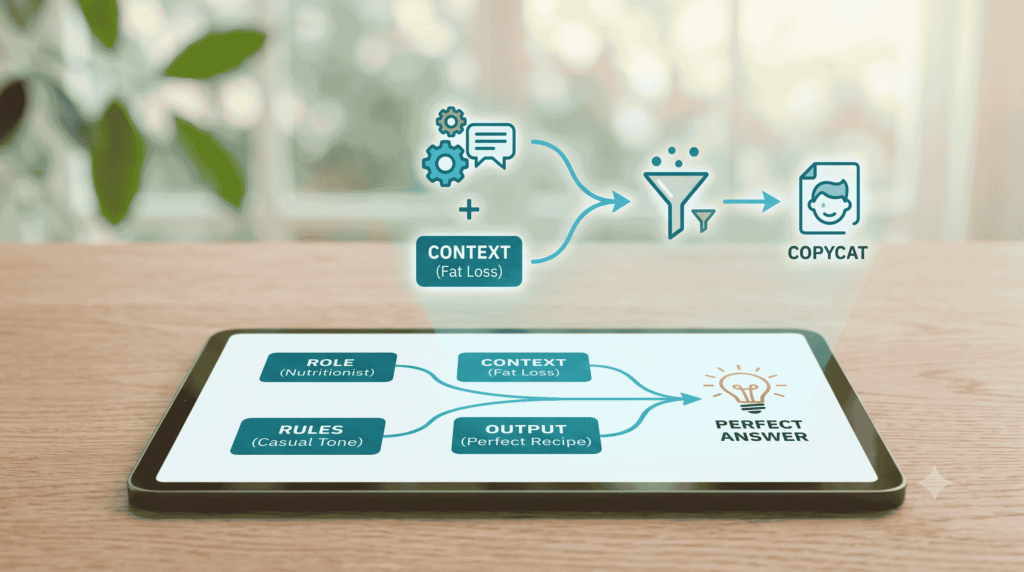
If you want to stop wasting time and start getting accurate wanted to learn how to write ai prompts, useful answers that actually sound like a real person wrote them, use these three rules every single time you chat with an AI.
1. Give the AI a Specific Job Title (The “Act As…” Trick)
Before you tell the AI what to do, you need to tell it who it should be. Assigning a persona or a professional role instantly changes the vocabulary, tone, and depth of the AI’s response.
Instead of asking a flat question, start your prompt by giving the AI a specific job title or personality.
- The Wrong Way: “How do I fix my diet?”
- The Better Way: “Act as a certified sports nutritionist who specializes in fat loss for busy professionals. Review my daily meals and…”
- The Wrong Way: “Check this email for mistakes.”
- The Better Way: “Act as a polite but firm manager. Review this email and ensure the tone is professional, not passive-aggressive…”
By setting the role, you instantly narrow the AI’s focus and force it to pull information only from the perspective of an expert. We have compiled a massive list of the best personas you can copy over at yeksha.blog/best-ai-personas-list.
2. Set Strict Rules and Boundaries (The “Context” Trick)
AI thrives when you give it boundaries. If you don’t give it rules, it defaults to its worst habit: rambling, using overly formal words, or writing like a stiff textbook.
A great prompt always provides background information (context) and sets up clear guardrails.
When typing your prompt, tell the AI:
- Who it is for: Is this for a 7-year-old kid, a busy mom, a tech-savvy programmer, or an investor?
- The length and layout: Do you want a short 50-word text response, a 3-paragraph email, bullet points, or a clean table?
- What to avoid: Tell it what words or styles to skip. For example: “Do not use corporate buzzwords like ‘synergy’ or ‘utilize.’ Keep it conversational.”
Look at the difference context makes:
“Act as a middle school science teacher. Explain how a black hole works. Keep the explanation under 150 words. Use a fun analogy involving everyday kitchen items, and avoid complex physics jargon.”
Because of those rules, the AI won’t give you a boring lecture on physics; it will give you a fun, readable story about water swirling down a kitchen sink drain. For tips on adjusting formatting options for technical topics, visit yeksha.blog/formatting-ai-outputs.
3. Show and Tell (Give it an Example)
If you want the AI to write in a very specific format, layout, or unique voice, the absolute fastest way to get a flawless result is to give it a sample to copy.
AI is an incredible pattern-matching machine. If you show it a pattern, it will replicate it perfectly.
- Want a newsletter in your voice? Paste an old email you actually wrote into the chat box and say: “Read the text below to analyze my writing style and humor. Now, write a new update about [Topic] matching that exact style.”
- Want data organized a certain way? Give it a tiny example: “Format the list exactly like this: [Name] – [Location] // [Phone Number]. Here is the data to fix…”
Instead of spending twenty minutes trying to describe the exact tone you want, just paste a paragraph that already has it. If you’re looking to generate marketing content specifically, we have a list of pre-made frameworks ready to copy over at yeksha.blog/ai-marketing-templates.
The Master Prompt Formula
To make things incredibly easy, you can combine all three of these tricks into a simple mental checklist. Copy and paste this structure whenever you write a prompt:
$$\text{Role} + \text{Task} + \text{Context} + \text{Rules} = \text{The Perfect Answer}$$
Let’s see what this looks like when we put all the pieces together into one real-world prompt:
[Role]: Act as a travel agent who specializes in budget family trips.
[Task]: Create a quick 3-day itinerary for a vacation to Paris.
[Context]: I am traveling with my spouse and our 4-year-old toddler. We love local bakeries, but we want to avoid long museum lines because the kid gets impatient.
[Rules]: Organize the plan day-by-day using bold headings. Include estimated walking times between places. Keep the tone casual and realistic. Do not include the Eiffel Tower climb.
If you paste that into an AI, you won’t get a generic list of top tourist traps. You will get a highly customized, practical, kid-friendly plan that actually saves you hours of planning stress. If you want more pre-built formulas like this for daily tasks, check out yeksha.blog/master-prompt-cheat-sheet.
One Last Tip: Don’t Be Afraid to Keep Talking
The absolute biggest mistake beginners make is treating the AI chat box like a one-shot deal. If the first answer isn’t perfect, don’t delete the chat! Treat the AI like a helpful assistant sitting next to you.
If the response is too long, just type: “Great, now make it half as long.”
If the tone is too formal, say: “Make it sound more casual, like a text message to a friend.”
AI is designed for back-and-forth conversations. By using roles, setting boundaries, and providing clear examples, you will completely change how you get things done online. For more productivity workflows you can steal today, check out our master list of shortcuts at yeksha.blog/productivity-hacks, or read about how to integrate these workflows into your business at yeksha.blog/ai-for-small-business.