The Anatomy of an App Idea: How to Turn a Concept into a Clear AI Blueprint
Tags: AI, AI app builders 2026, AI Blueprint, App Development, App Prototype, AppDevelopment, How to build an app with AI, No Code AI, NoCode, Product Design, Product requirements framework, SaaS MVP., Startup, Tech Founder, Turn app idea into reality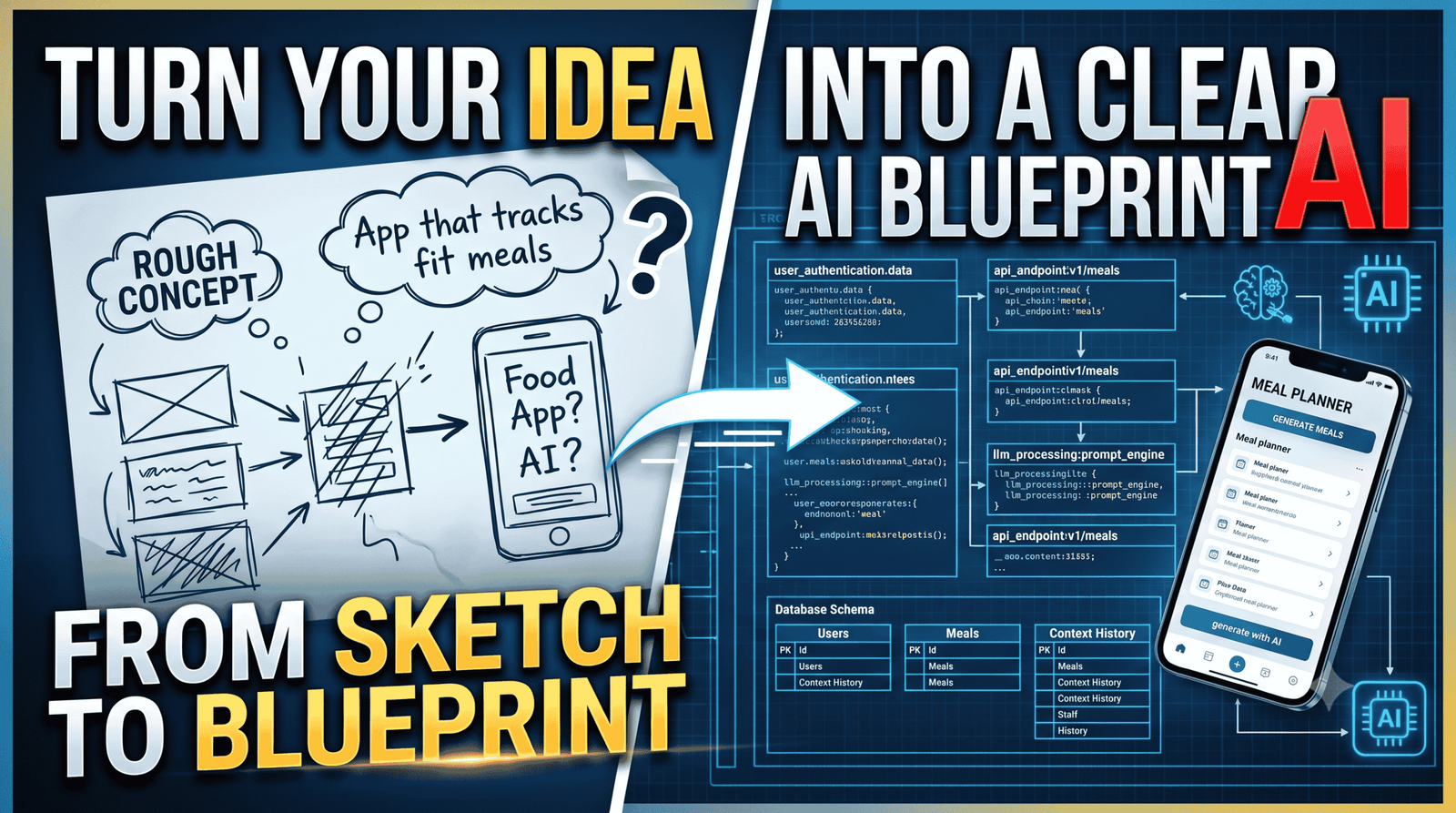
We have all been there. You are sitting at a coffee shop, or staring at the ceiling at 2:00 AM, and it hits you: the ultimate app idea and AI Blueprint. Your brain instantly fills with visions of millions of downloads and a sleek user interface. But then morning comes, reality sets in, and you are left wondering, “How do I actually build this thing without spending $50,000 on developers?”
Here is the good news: the days of needing a massive budget and a six-month development cycle just to see a prototype are officially over. Thanks to AI app builders and intelligent scoping frameworks, the gap between “rough concept” and “working software” has completely collapsed.
But you cannot just type “make me a social media app for fitness” into an AI and expect a masterpiece. Garbage in, garbage out. To build something incredible, you need an AI blueprint.
Let’s break down the exact anatomy of an app idea and look at how to map it into a clear, development-ready AI blueprint.
Phase 1: Deconstruct the Core Vision (The Foundation) of AI Blueprint
Before you touch an AI app builder or write a single prompt, you need to strip your idea down to its absolute skeleton. AI needs specific constraints to work effectively. If your prompt is too broad, the AI will default to generic, uninspired templates.
To avoid this, ask yourself three non-negotiable questions:
- Who is the primary user? (Be specific: “Freelance graphic designers managing 3+ clients,” not just “Everyone.”)
- What is the “One Big Problem” it solves? (“Tracking unpaid invoices without sending awkward emails.”)
- What data needs to flow through it? (“Invoices, client emails, and payment dates.”)
The Old Way vs. The AI Blueprint Approach
In traditional software development, this phase involved writing a 50-page Product Requirements Document (PRD). In 2026, the process looks entirely different:
| Factor | Traditional Development | AI-Blueprint Building |
| Time to First Prototype | 2 to 6 months | 1 to 3 days |
| Primary Skill Needed | Coding & Systems Architecture | Directing & Clear Prompting |
| Iteration Friction | High (Rewriting code bases) | Low (Refining natural language) |
Phase 2: Map the User Journey into AI-Friendly Steps
Once your core concept is pinned down, map the user journey. Think of your app as a series of rooms the user walks through. Your job is to identify exactly where AI needs to step in and do the heavy lifting.
Let’s map out a standard journey for a hypothetical AI-powered meal planner app:
1.The Trigger (The Problem Room):User inputs a chaotic prompt.
The user logs in and types: “I have chicken, broccoli, and hot sauce, and I need a dinner under 500 calories that takes 15 minutes.”
2.The AI Processing Engine:Data transformation happens here.
The app routes this text to a language model using Structured Outputs. The AI doesn’t just reply with text; it formats the data cleanly into a standard recipe structure.
3.The Execution Room:UI displays the solution cleanly.
The app displays a clean, step-by-step cooking guide with an automated timer, translating raw AI data into an elegant, interactive dashboard.
Phase 3: Crafting the Master Prompt (The AI Blueprint)
This is where the magic happens. You are no longer a programmer; you are a director. To get an AI builder (like Bubble AI, Base44, or Pega Blueprint) to generate a functional app architecture, you must feed it a structured master prompt.
A highly effective blueprint prompt follows this exact anatomy:
Plaintext
[Role & Context]: Act as an expert systems architect building a mobile-responsive web app.
[Target Audience]: Freelance writers who struggle with tracking content deadlines.
[Core Features]:
  1. Kanban board for article tracking (Ideation, Writing, Review, Published).
  2. Automated smart-summary that extracts keywords from uploaded research PDFs.
  3. One-click client update email generator.
[Data Models]: User profiles, Project tasks, Uploaded documents text strings.
[Design Philosophy]: Minimalist, dark mode by default, high visual contrast on interactive buttons.
When you feed structured data like this into an AI platform, it generates a product blueprint—a comprehensive breakdown of database schemas, user permissions, and API endpoints before any code is generated.
Phase 4: Validating and Refining the AI Output
When the AI gives you your first blueprint draft, do not just accept it blindly. Look closely for technical gaps.
- Check the Database Relationships: Did the AI correctly link the user’s account to their specific data, or is the architecture accidentally exposing data globally?
- Audit the Core Logic: Look for steps that can be handled with simple, reliable logic instead of expensive AI calls. For example, sorting a list by date doesn’t need an LLM—a basic database filter works perfectly and saves computational tokens.
- Establish Guardrails Early: Ensure your blueprint includes validation steps. If a user uploads an empty file or inputs gibberish, how does the app catch the error gracefully?
By refining these details in natural language before locking in your development phase, you save dozens of hours of debugging later on.
You have transitioned from a rough, abstract idea to a clear, actionable AI product blueprint. You are ready to build.
Top AI App Builders (For Rapid Prototyping & MVPs)
If you have your master prompt or blueprint ready, these platforms will take that structured natural language and turn it into full, working applications:
- Lovable: The gold standard for non-technical founders looking to build fully-functional SaaS MVPs. It writes clean, exportable React code, generates database structures, and syncs directly with GitHub and Supabase.
- Bolt.new (by StackBlitz): Best if you want direct control over the code stack. It spins up an entire browser-based full-stack development environment from a single prompt, allowing you to manually edit files alongside the AI.
- v0 (by Vercel): If your app is UI-heavy and you want stunning, best-in-class layouts, v0 generates pristine React and Tailwind CSS wireframes and frontend elements that you can easily drop into a production environment.
- Base44: The simplest, zero-configuration path for absolute beginners who find dealing with backend hosting, authentication, or database setup intimidating.
2. Databases for Handling AI Data
To build out the hybrid database schema we discussed (splitting standard data from your AI long-term memory), these are the market standards:
- pgvector (PostgreSQL Extension): If your application already relies on a relational database, you don’t need a separate infrastructure.
pgvectorallows you to store and query vector embeddings alongside standard user tables using plain SQL. Great for datasets up to ~50 million vector chunks. - Pinecone: A fully-managed, serverless cloud database built exclusively for vector workloads. If you are building complex AI agents or dealing with massive semantic search scales, Pinecone handles indexing automatically without you needing to tune the server.
- ChromaDB: A highly accessible, developer-first open-source embedding database. It’s lightweight, incredibly fast to prototype locally using Python, and integrates natively with AI orchestration frameworks.
3. Recommended Deep-Dives & Tutorials
To understand how these systems connect (the data pipeline, chunking text, and feeding it to an LLM via RAG), these developer resources are invaluable:
- DataCamp’s Introduction to Vector Databases for Machine Learning: A hands-on guide that teaches the fundamentals of high-dimensional vector data and how embeddings map meaning.
- Pinecone’s Mastering Vector Databases Tutorials: Practical documentation workflows covering metadata filtering, isolated user data environments (multi-tenancy), and query optimizations.
- GravityDevOps Overview on RAG (Retrieval-Augmented Generation): A breakdown mapping out how document chunking, embeddings, and context pipelines prevent AI models from hallucinating.